10 Product Photography Tips That Actually Boost Sales
Whether you're selling on Amazon, Shopify, or Instagram, your product photos are your first impression. Studies show that 75% of online shoppers rely on product photos when making a purchase decision, and listings with professional images see up to 35% higher conversion rates.
Don't want to DIY? MoliSpace connects you with 500+ vetted creators who deliver studio-quality product photos and videos — starting at just $15 per image, with 24-hour turnaround. No subscriptions, no deposits. You only pay when you're satisfied. Get started here.
That said, whether you're shooting yourself or working with a pro, understanding these fundamentals will help you get better results. Here are 10 actionable tips to make your product photos sell harder.
1. Nail Your Lighting First
Lighting is the single biggest factor in photo quality. Bad lighting makes even great products look cheap.
- Natural light works best for lifestyle and food products. Shoot near a large window during golden hour (early morning or late afternoon) for soft, flattering light.
- Diffused artificial light is better for consistency. A simple two-light softbox setup eliminates harsh shadows and keeps colors accurate across your entire catalog.
- Avoid mixed lighting. Don't combine overhead fluorescents with window light — it creates uneven color casts that are hard to fix in post.
The key is consistency. Every product in your catalog should look like it belongs together.
2. Use the Right Background for the Right Platform
Different selling platforms have different expectations:
- Amazon and e-commerce listings: Pure white background (RGB 255, 255, 255). Amazon requires this for main product images. It removes distractions and puts the focus entirely on your product.
- Social media and lifestyle brands: Contextual backgrounds tell a story. A coffee mug on a wooden desk with a notebook nearby helps customers imagine the product in their life.
- Your own website: Mix both. Use clean white shots for your product pages and lifestyle shots for your homepage and marketing.
A simple white poster board from the dollar store works surprisingly well for small products. For larger items, invest in a collapsible backdrop.
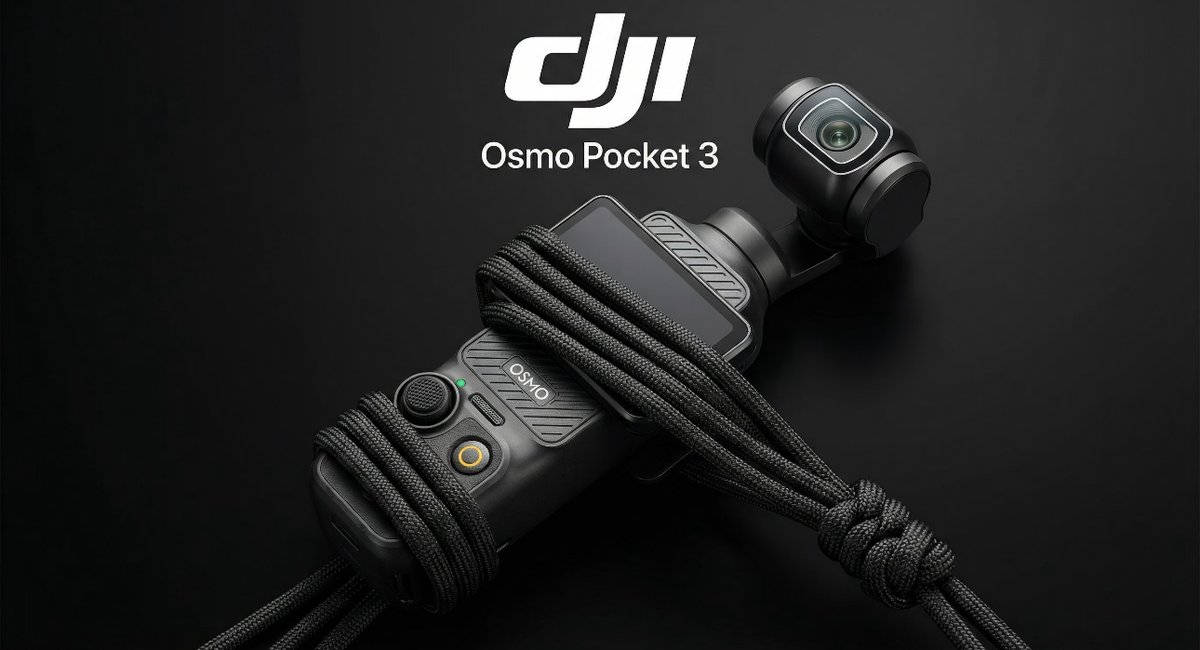
3. Show Multiple Angles
One photo isn't enough. Customers want to inspect your product the way they would in a store. Include:
- Hero shot: The main angle that shows the product at its best
- Detail shots: Close-ups of texture, material quality, stitching, or unique features
- Scale shot: The product next to a common object (a hand, a coin, a ruler) so customers understand the size
- In-use shot: Someone actually using the product in a real setting
- Packaging shot: If your packaging is premium, show it — it builds perceived value
Amazon recommends 7-9 images per listing. Most sellers only upload 3-4. That's a missed opportunity.
4. Stabilize Your Camera
Camera shake is the fastest way to make photos look amateur. You don't need expensive gear:
- A basic tripod ($20-30) eliminates shake entirely
- Use your phone's self-timer (2-second delay) so you're not touching the phone when it takes the shot
- If hand-holding, brace your elbows against your body and hold your breath
Sharpness signals quality. Blurry photos signal "don't trust this seller."
5. Style Your Products Intentionally
Product styling means arranging your product and props to create a specific mood or message.
- Less is more. One or two props maximum. The product should be the star, not the staging.
- Choose props that tell a story. Selling a candle? Add a cozy blanket and a book. Selling fitness gear? A water bottle and towel.
- Pay attention to colors. Props should complement your product, not compete with it. Neutral tones (white, gray, natural wood) are safe choices.
- Steam, spray, or polish your product before shooting. Wrinkles, fingerprints, and dust show up in photos more than you'd expect.

6. Get Your Dimensions Right
Each platform has specific image requirements. Using the wrong dimensions means your photos get cropped awkwardly:
- Amazon: 2000 x 2000 px minimum (square, 1:1 ratio), white background for main image
- Shopify: 2048 x 2048 px recommended (square)
- Instagram feed: 1080 x 1080 px (square) or 1080 x 1350 px (4:5 portrait)
- Instagram Stories/Reels: 1080 x 1920 px (9:16 vertical)
Always shoot at the highest resolution your camera allows. You can always downscale, but you can't upscale without losing quality.
7. Edit Consistently, Not Excessively
Post-processing should enhance, not transform. The goal is to make your product look exactly as it does in real life, but at its best.
Essential edits:
- White balance correction — make whites look white, not yellow or blue
- Exposure adjustment — bright enough to see detail, not so bright you lose it
- Cropping — center the product, remove distracting edges
- Background cleanup — remove dust, wrinkles, or blemishes on backdrops
Avoid over-saturating colors or adding heavy filters. Customers who receive a product that looks different from the photo will leave negative reviews.
8. Add Video to Your Listings
Static photos show what your product looks like. Video shows what it does.
- 360-degree rotation videos let customers see every angle
- Unboxing videos build excitement and show packaging quality
- Demo videos prove your product works as advertised
Amazon and Shopify both support video in product listings now. Sellers who add video see up to 80% higher engagement compared to photo-only listings.
Even a simple 15-30 second clip shot on a modern smartphone can make a significant difference.
9. DIY vs. Professional: Know When to Upgrade
DIY product photography works well when:
- You're testing a new product and need quick images
- Your budget is truly zero
- You're selling low-price items where margins are thin
But consider professional photography when:
- You're spending money on ads — bad photos waste your ad budget
- Your competitors have professional images and you're losing sales
- You're launching a new product line and need a strong first impression
- You need consistency across 20+ products
The cost of professional product photography has dropped dramatically. Services like MoliSpace offer studio-quality images starting at $15 per photo, delivered in 24 hours — making it accessible even for small businesses and solo sellers.
10. Test and Iterate
Your first set of photos probably won't be perfect, and that's fine. The best sellers constantly test:
- A/B test your main image on Amazon to see which version gets more clicks
- Track conversion rates before and after upgrading your photos
- Ask customers for feedback — sometimes they notice things you don't
- Watch competitors — see what's working in your niche and adapt
Product photography isn't a one-time task. As your brand evolves, your images should evolve too.
The Bottom Line
Great product photos aren't about expensive cameras or fancy studios. They're about good lighting, clean backgrounds, multiple angles, and consistency. Start with these fundamentals, and you'll see a measurable impact on your sales.
If you're ready to upgrade beyond DIY, MoliSpace connects you with vetted creators who deliver professional product photos and videos — starting at $15 per image, with 24-hour turnaround. No subscriptions, no deposits — you only pay when you're satisfied.