How to Boost Your Amazon Sales by 5x With Better Listing Images
Last year, an Amazon seller came to us with a problem. Their BBQ Meat Blanket was getting traffic but barely converting. The product was great — five-star reviews from the few buyers they had — but sales were stuck at 2-3 units per day.
The issue? Their listing had two blurry iPhone photos on a kitchen counter.
We redesigned their entire image set. Within two weeks of uploading the new images, their daily sales jumped from 3 to 15+ units. Same product. Same price. Same ads. The only change was the images.
Want results like this? MoliSpace creates professional Amazon listing images — from main photos to infographic slides — starting at $15 per image, delivered in 24 hours. 500+ vetted creators, no subscriptions. Get started here.
This article breaks down exactly what makes Amazon listing images convert, using this real case study as an example.
Why Amazon Images Matter More Than You Think
Amazon's own data shows that listings with 7+ images convert at nearly double the rate of listings with fewer than 4 images. Your images are your sales pitch — most shoppers never read the bullet points or description. They scroll through images and make a snap decision.
Here's what a high-converting Amazon image set looks like.
Image 1: The Main Image (Hero Shot)
Amazon requires your main image to have a pure white background (RGB 255, 255, 255). This isn't optional — listings that violate this get suppressed.
But "white background" doesn't mean boring. The best main images:
- Show the product from the most flattering angle
- Fill 85%+ of the frame (Amazon's recommendation)
- Include the product in use or with context elements (within Amazon's guidelines)
- Are at least 2000 x 2000 pixels for zoom functionality
Here's the main image we created for the BBQ Meat Blanket listing:
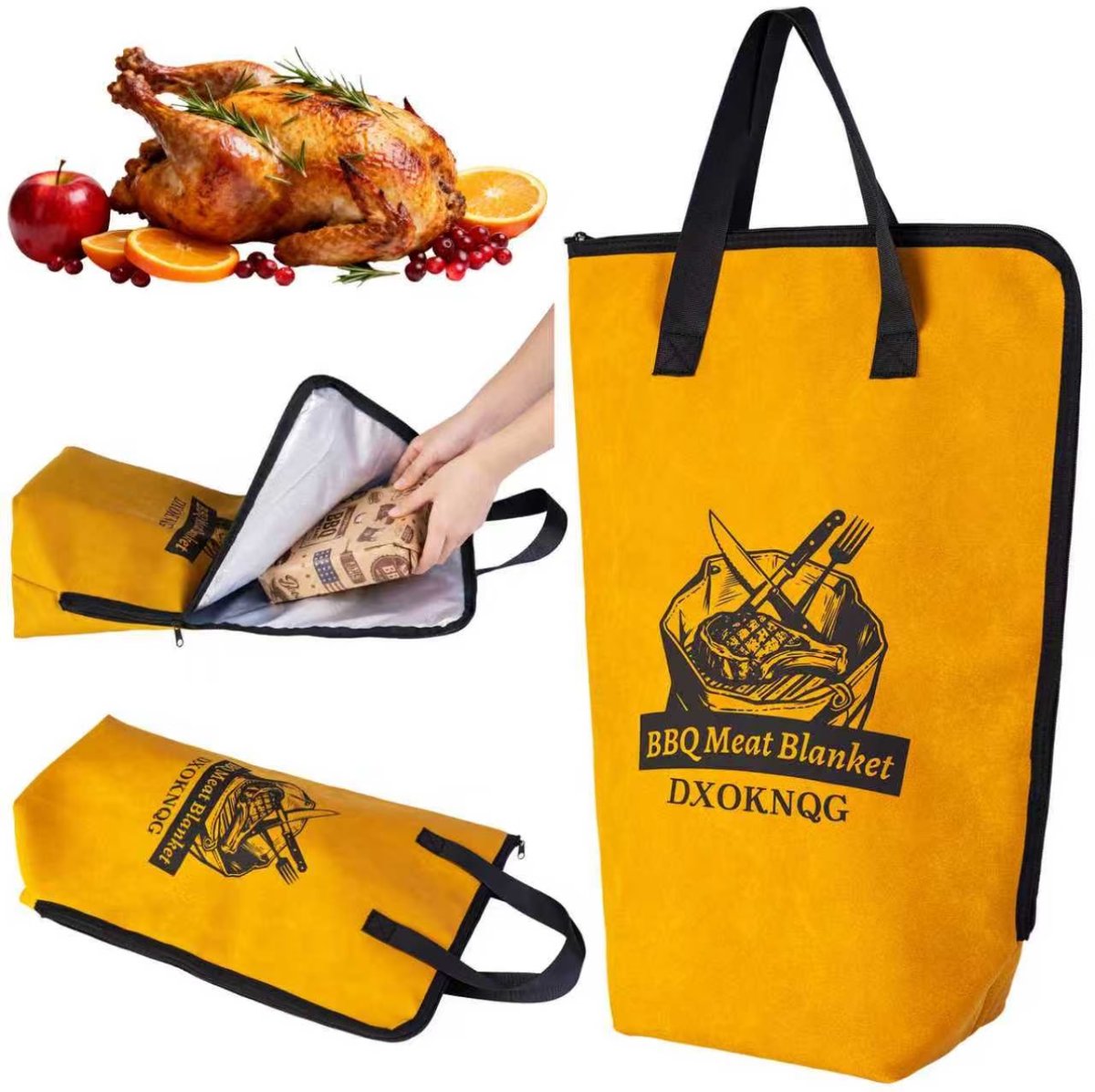
Notice how this single image shows the product from three different angles — the front view with branding, the product being used (hands putting meat inside), and a lifestyle context shot with a roasted turkey. This gives shoppers an immediate understanding of what the product is, how it works, and why they'd want it.
Image 2: The Feature Infographic
This is where you sell without words. An infographic image highlights your key selling points with icons, callouts, and dimensions.
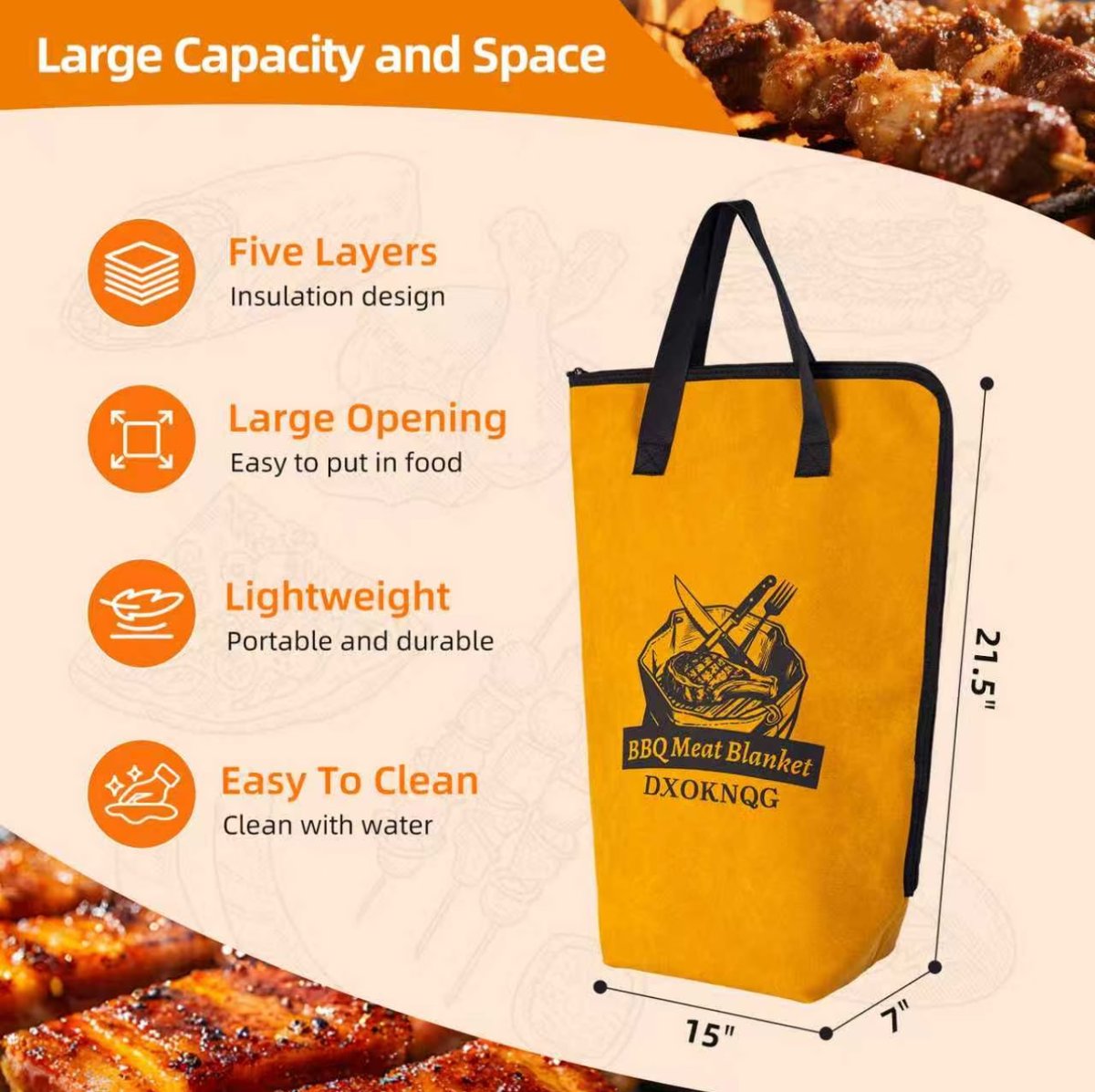
This image does the heavy lifting that bullet points can't:
- Exact dimensions (21.5" x 15" x 7") so customers know if it fits their needs
- Key features with icons: five-layer insulation, large opening, lightweight, easy to clean
- Background context with food imagery that reinforces the BBQ theme
- Clean layout that's easy to scan in under 3 seconds
Most shoppers are comparing 3-4 products side by side. The listing with the clearest feature infographic wins.
Image 3: Detail and Quality Close-Ups
Shoppers can't touch your product on Amazon. Close-up detail shots build the trust that physical handling normally provides.
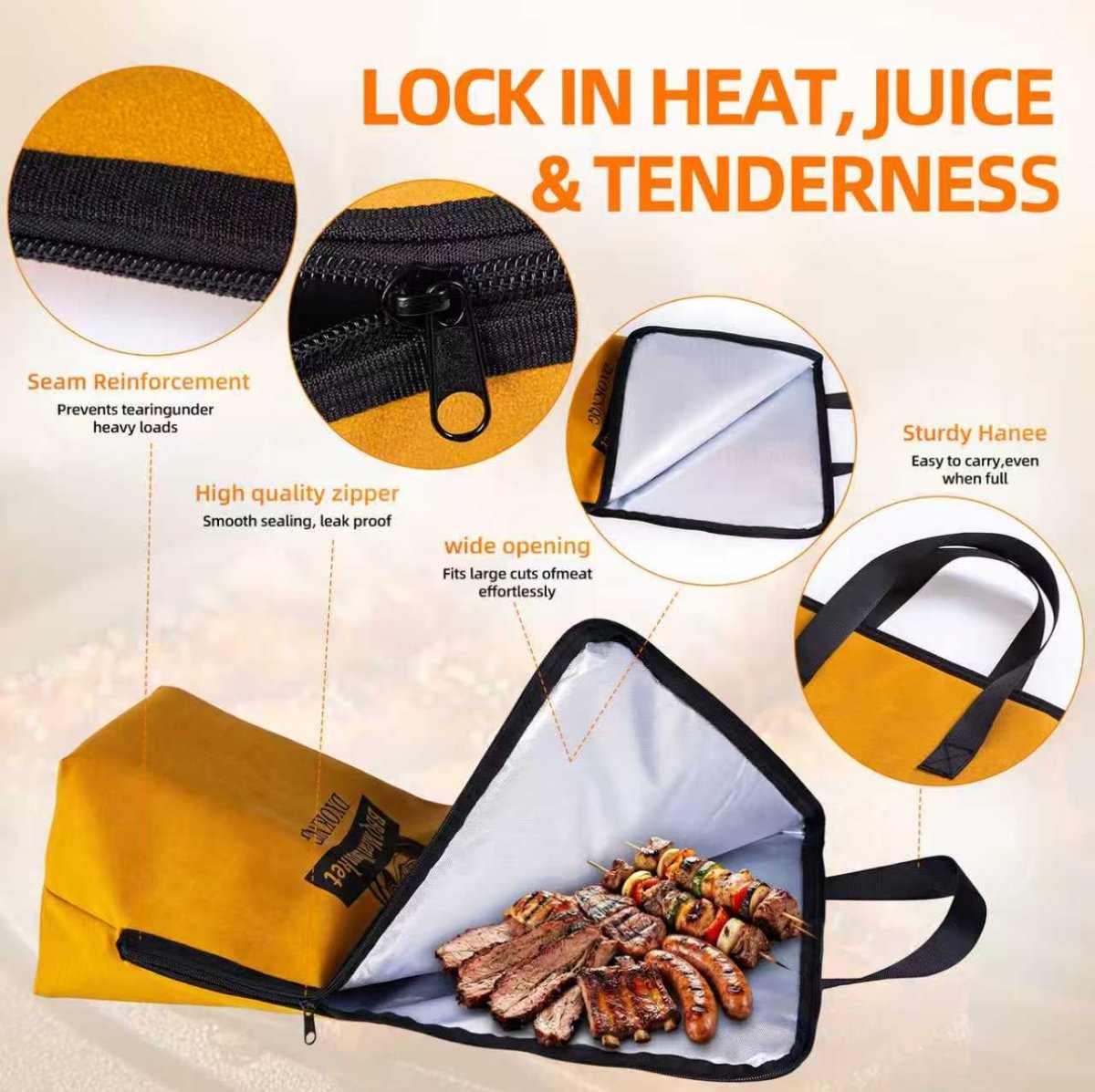
This image highlights:
- Seam reinforcement — "prevents tearing under heavy loads"
- High-quality zipper — "smooth sealing, leak proof"
- Wide opening — "fits large cuts of meat effortlessly"
- Sturdy handles — "easy to carry, even when full"
Each callout answers a potential objection. "Will it tear?" "Does the zipper leak?" "Can it fit a brisket?" These are questions customers have in their heads — your images should answer them before they ask.
Image 4: Use-Case / Versatility Image
Show customers all the ways they can use your product. This expands perceived value and helps shoppers imagine the product in their own life.
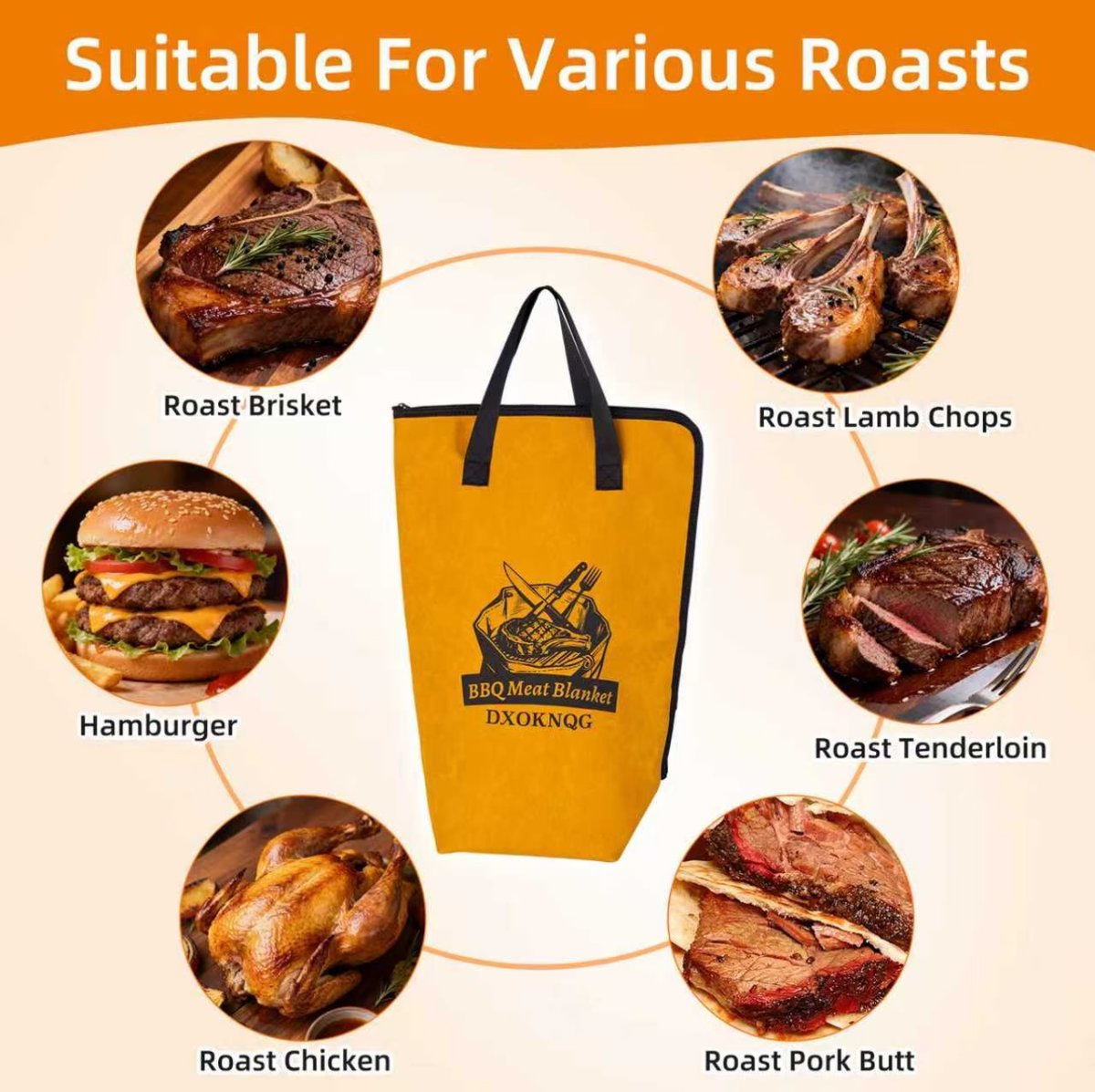
This single image shows the BBQ Meat Blanket works for six different types of meat — brisket, lamb chops, hamburger, chicken, pork butt, and tenderloin. A customer who came looking for a brisket bag now sees it also works for their Thanksgiving turkey.
The psychology: more use cases = more perceived value = easier purchase decision.
Image 5: Benefit-Focused Lifestyle Image
Move beyond features and sell the benefit. Features tell, benefits sell.
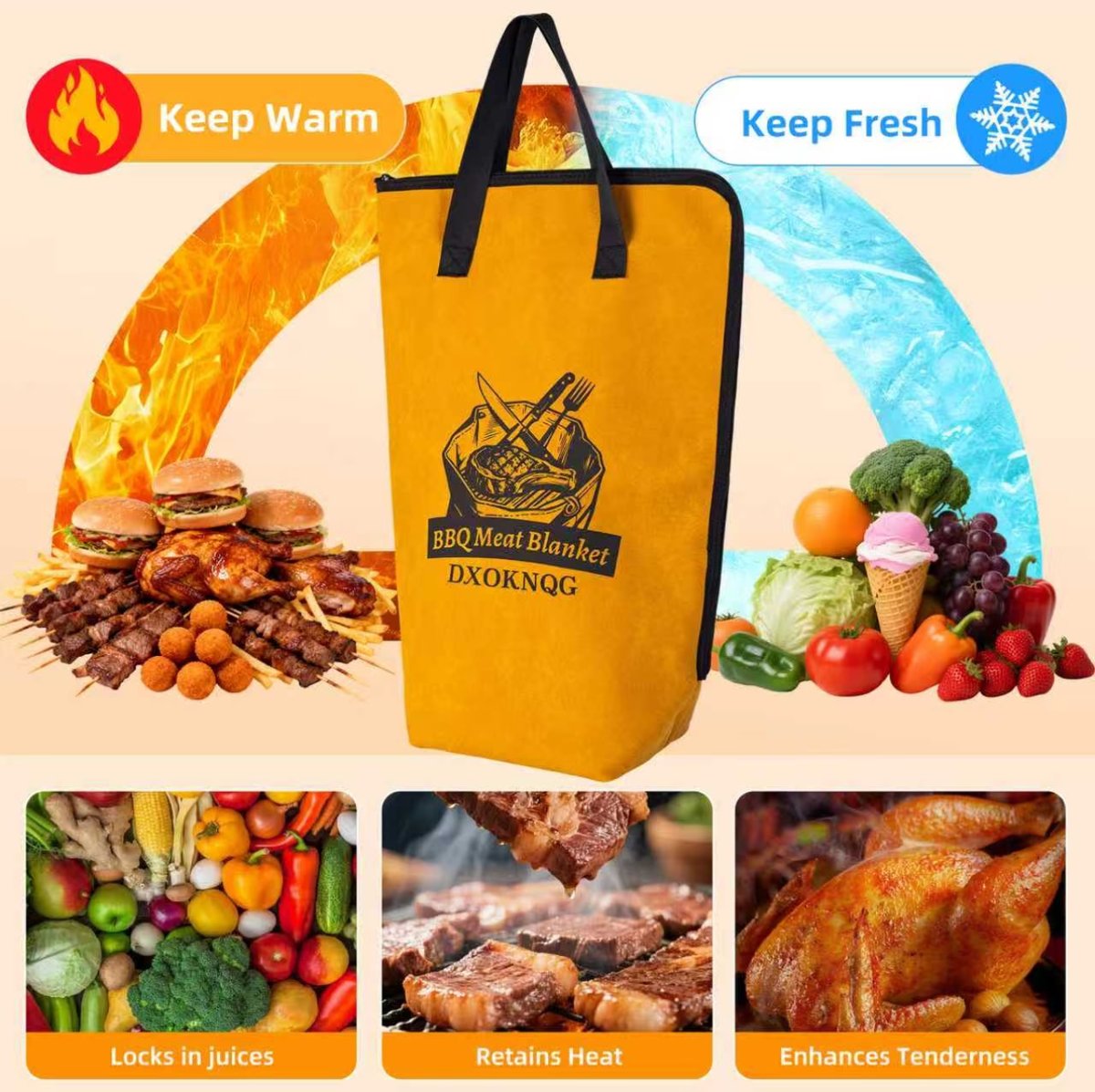
"Keep Warm" and "Keep Fresh" are benefits the customer actually cares about. The three icons at the bottom — locks in juices, retains heat, enhances tenderness — connect the product to the outcome the customer wants.
Image 6: Easy Maintenance / Objection Killer
Address the #1 concern that might prevent a purchase. For food products, that's often cleaning.

This image shows the product being cleaned in two ways — wiping with a damp cloth and spot cleaning residues. It directly answers: "Is this going to be annoying to clean after BBQ grease gets on it?"
Amazon Image Requirements Checklist
Before uploading, make sure every image meets these requirements:
- Format: JPEG, PNG, GIF, or TIFF
- Color mode: sRGB or CMYK
- Minimum size: 1000 pixels on the longest side (2000+ recommended for zoom)
- Main image: Pure white background (RGB 255, 255, 255), no text/graphics/watermarks, product fills 85%+ of frame
- Secondary images: Can include text, infographics, lifestyle shots, and comparison charts
- No pricing or promotions in any image
- No Amazon logos or trademarks
- Maximum 7-9 images (use all of them)
The 7-Image Formula That Converts
Based on hundreds of listings we've worked on, here's the image sequence that consistently drives the highest conversions:
- Main hero shot — white background, product at best angle
- Feature infographic — key specs with icons and dimensions
- Detail close-ups — material quality, build quality, unique features
- Use-case / versatility — all the ways to use the product
- Benefit lifestyle — emotional outcome the customer wants
- Objection killer — address the #1 concern (cleaning, sizing, setup)
- Social proof / comparison — before/after, vs competitors, or customer photos
Most sellers only do images 1-2. The sellers who do all 7 consistently outsell them.
Ready to Upgrade Your Amazon Listing Images?
The difference between a listing that converts at 5% and one that converts at 15% is almost always the images. Same product, same price — better images, more sales.
MoliSpace specializes in Amazon listing images. Our vetted creators understand Amazon's requirements and design images that sell — from main photos to infographic slides to lifestyle shots.
- Professional listing images from $15 each
- 24-hour delivery
- You only pay when you're satisfied
- No subscriptions, no deposits
Create your first task and see the difference professional images make.